Unity Control

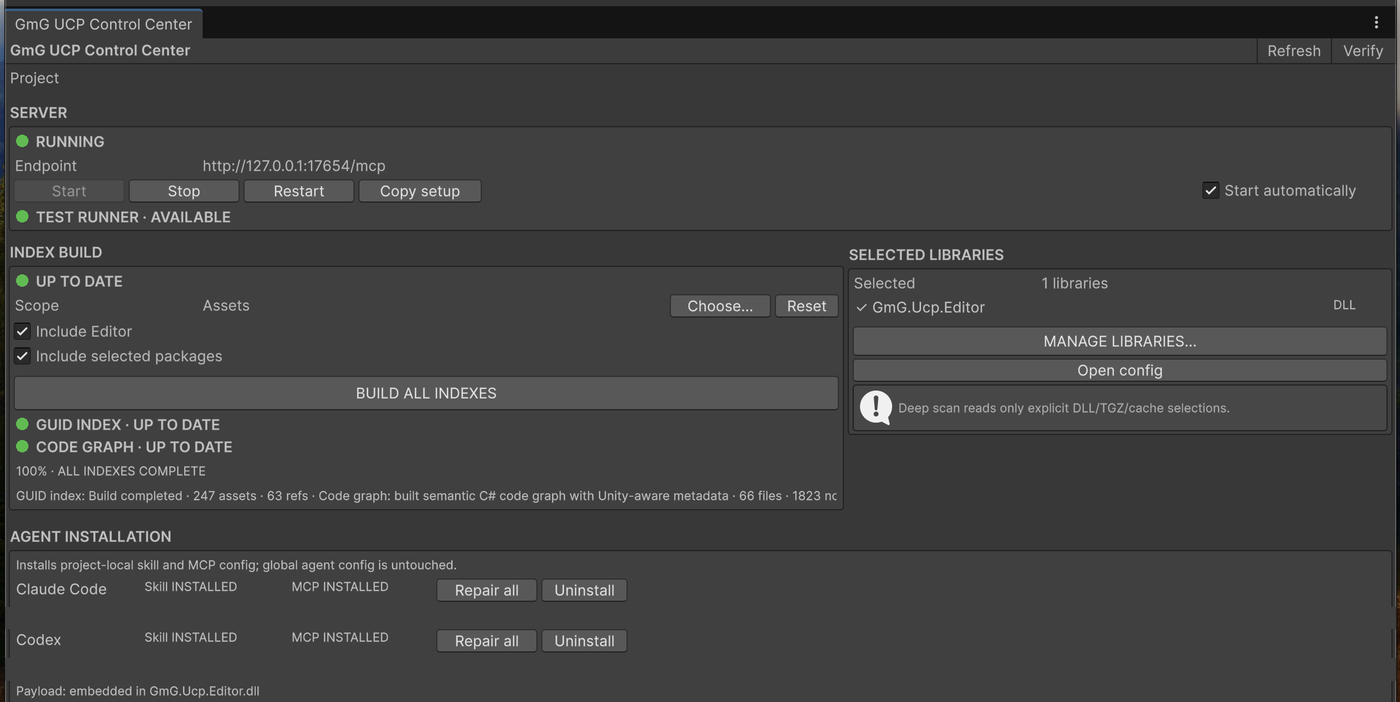
Put Unity
on the command line.

A Unity-aware MCP bridge that lets coding agents inspect, change, compile, test and verify the real Editor — end to end.

MCP nativeAsset indexSemantic graph
ucp — MyGame•••
$ucp --install
MCP config · skills · docs installed
$ucp --index --scope Assets
Asset graph ready · GUID refs resolved
$ucp --graph --scope Assets --timeout 300
Semantic C# graph ready · Roslyn applied
$
Unity connectedready

The missing interface

Unity is visual.
Your tools are not.

Unity Control gives coding agents a precise way to understand the project, operate the real Editor, and verify outcomes instead of guessing from source files alone.

Project intelligence

Index every asset.
Graph every consequence.

UCP gives coding agents a connected view of Unity content and C# behavior — enough to reason about impact without exposing the machinery behind it.

01 ASSET INDEX

Know what references what.

Search project content, follow dependencies, find reverse references and understand where components are actually used.

ucp --index --scope Assets
02 SEMANTIC CODE GRAPH

See what a change touches.

Trace call paths, state access, inheritance and Unity-aware relationships with semantic analysis.

ucp --graph --scope Assets
ASSET IMPACTCODE PATHSUNITY-AWARE CONTEXTSEMANTIC CONFIDENCE

Built beyond scene CRUD

The workflow
others leave open.

Unity Control is built around the costly parts of agentic Unity development: focus, project locks, raw logs, runtime state and unsafe YAML edits.

PROJECT INTELLIGENCE

Know what references what

Find asset relationships, component usage and downstream impact without asking an agent to scan the entire project.

SEMANTIC GRAPH

Understand code by meaning

Trace calls, state access and inheritance with semantic confidence instead of relying only on text search.

UNITY IMPACT

Connect code to real content

See how a code change reaches the scenes, prefabs and assets that ship in the game.

CONTEXT CONTROL

Ask narrowly. Receive narrowly.

Targeted queries return the answer an agent needs while keeping irrelevant project data out of context.

COMPACT MCP

Capability without tool sprawl

A deliberately small surface covers the development loop and preserves more context for the actual work.

SAFE AUTHORING

Change Unity with guardrails

Editor-aware operations protect serialized content and make high-impact changes explicit.

Documented payload budget

Spend tokens
on decisions.
Not Unity YAML.

UCP replaces broad project dumps with narrow questions and compact answers.

99.2%less context for one targeted UI check
versus an unfiltered snapshot
UCP context usage compared with broader output formats
WorkflowBroad outputUnity ControlReduction
Single UI assertion~3,865 tok~30 tok99.2%
Filtered UI snapshot~3,865 tok~200 tok94.8%
Structured query outputJSON baselineText default~50%

Payload guidance from current UCP operations. Actual usage varies by project and query. The public benchmark reports output size only; internal indexing and query strategy remain undisclosed.

Full editor access

Know the project.
Control the Editor.

01

Index the project

Resolve dependencies, reverse references, component usages and prefab contents from a persistent project index.

02

Graph the code

Trace calls, reads, writes and inheritance with Roslyn semantics plus Unity lifecycle, assembly, attribute and asset-reference metadata.

03

Control the Editor

Inspect, create, modify, compile, test, profile and verify Unity through a compact MCP interface.

Local by design

Simple in.
Structured out.

A focused control layer connects your development tools with the Unity Editor and returns predictable, structured results.

  • Editor-aware actions
  • Structured results
  • Built for automation
INPUTCLI · AGENT · CI
CONTROL UNITY CONTROL
RUNTIMEUNITY EDITOR

Install from npm

One package.
One bridge.

NPM · LATEST RELEASE

Install Unity Control

Install the latest UCP CLI globally, then let it configure the MCP client, skills and local documentation.

$npm install -g @gmg-studio/ucp@latest
01ucp --install02Restart your MCP client
Explore the difference →

Common questions

Unity Control,
clearly explained.

What is Unity Control?

Unity Control is an MCP bridge and command-line tool that gives coding agents a Unity-aware way to inspect projects, operate the Editor, run verification, and reason across code and assets.

How are the asset index and code graph different?

The asset index maps Unity content and references. The semantic code graph maps C# behavior and relationships. Together they help an agent understand the likely impact of a change before editing.

Does UCP replace the Unity Editor?

No. UCP connects automation and AI coding tools to the real Unity Editor. Unity remains the source of truth for serialized assets, play mode, compilation, tests, and runtime state.

Which AI coding tools can use UCP?

UCP runs as an MCP server over standard input and output, so it is designed for MCP-compatible coding clients. Install the npm package, then run ucp --install to configure the supported client environment.